Building software that handles personal data? Learn the basics of GDPR, UK GDPR, CCPA and PIPEDA and how to build privacy in from day one.
If your software stores names, emails, addresses, payment details or health information, privacy law applies to you. Many founders only think about it after launch, when a customer asks for their data or a partner sends a security questionnaire. Building privacy-compliant software from the start is far cheaper than fixing it later.
This guide explains the basics of GDPR, UK GDPR, CCPA and PIPEDA in plain English, and shows how privacy fits into the software build process.
Important: this article is general information, not legal advice. Privacy laws are detailed, change over time and depend on your situation. Speak to a qualified privacy lawyer or data protection professional about your own obligations.
What is personal data?
Personal data (called "personal information" in some laws) is any information that relates to an identifiable person. That includes obvious things like names and emails, and less obvious things like IP addresses, device IDs, location data and customer account numbers.
Some data is treated as more sensitive and needs extra care, such as health information, biometric data, financial details and information about children.
The main privacy laws in brief
GDPR (European Union and EEA)
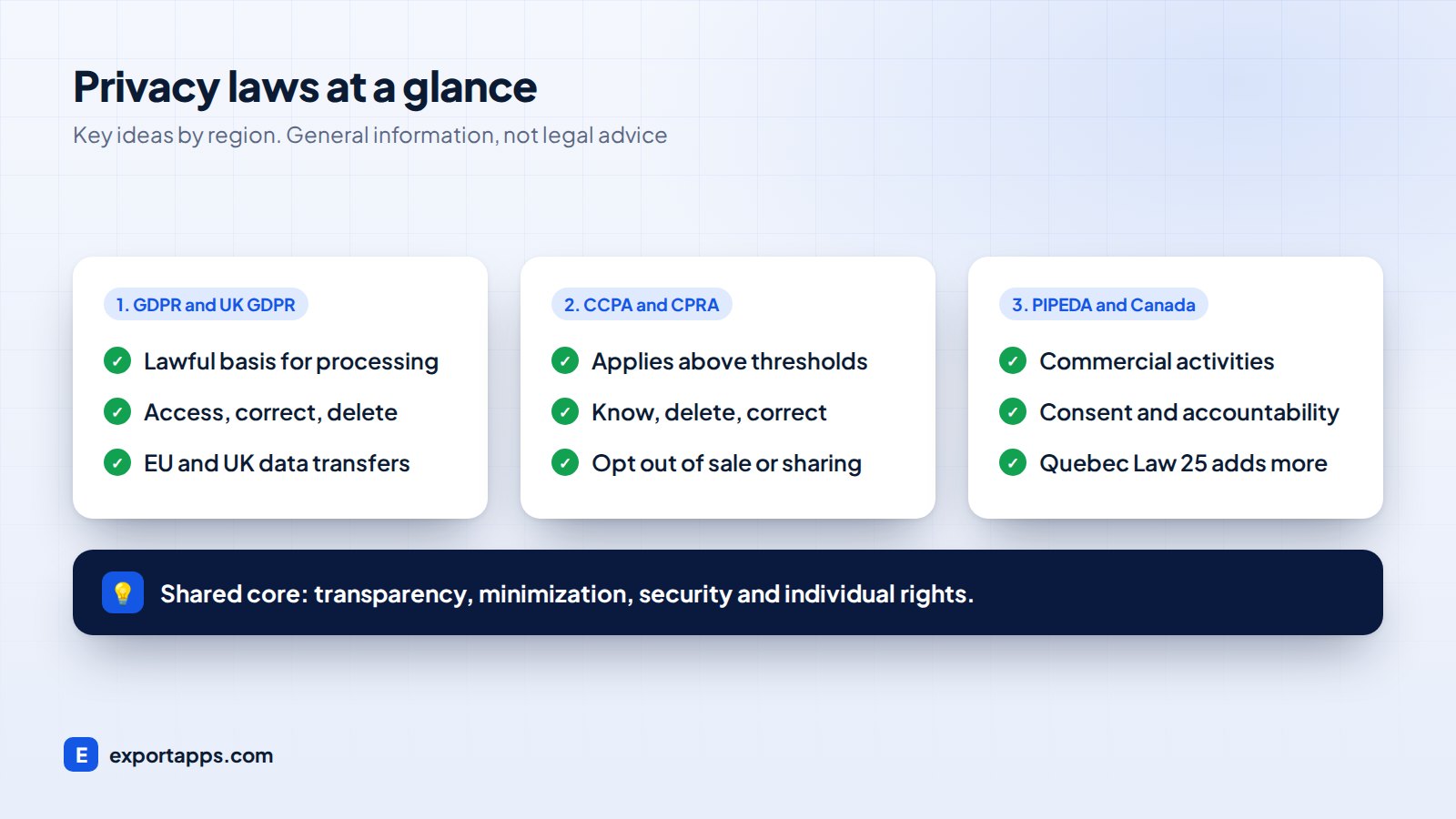
The General Data Protection Regulation applies to organizations based in the EU, and also to organizations outside the EU that offer goods or services to people in the EU or monitor their behavior. Key ideas include having a lawful basis for processing, collecting only what you need, being transparent, keeping data secure and respecting people's rights to access, correct and delete their data.
UK GDPR
After Brexit, the UK kept its own version of GDPR alongside the Data Protection Act 2018. It is very similar to the EU GDPR in practice. The regulator is the Information Commissioner's Office (ICO). If you serve both UK and EU customers, you may need to consider both.
CCPA and CPRA (California, USA)
The California Consumer Privacy Act, as amended by the California Privacy Rights Act, applies to for-profit businesses that meet certain thresholds, for example based on annual revenue or the volume of California residents' personal information they handle. It gives consumers rights to know, delete and correct their data, and to opt out of the sale or sharing of their personal information. Several other US states have passed their own privacy laws with similar ideas.
PIPEDA (Canada)
The Personal Information Protection and Electronic Documents Act covers how private-sector organizations collect, use and disclose personal information in commercial activities in Canada. Some provinces, such as Quebec, Alberta and British Columbia, have their own private-sector laws. Quebec's Law 25 adds stronger requirements for businesses handling Quebec residents' data.
What these laws have in common
The details differ, but the core ideas overlap. Software that follows these principles is in a much better position everywhere:
- Transparency: tell people what you collect and why
- Data minimization: collect only what you need
- Purpose limitation: use data only for the reasons you stated
- Security: protect data with appropriate technical and organizational measures
- Individual rights: let people access, correct and delete their data
- Accountability: document what you do and why
How to build privacy-compliant software: step by step
This is how we build privacy into custom software projects. It is often called "privacy by design".
1. Map the personal data
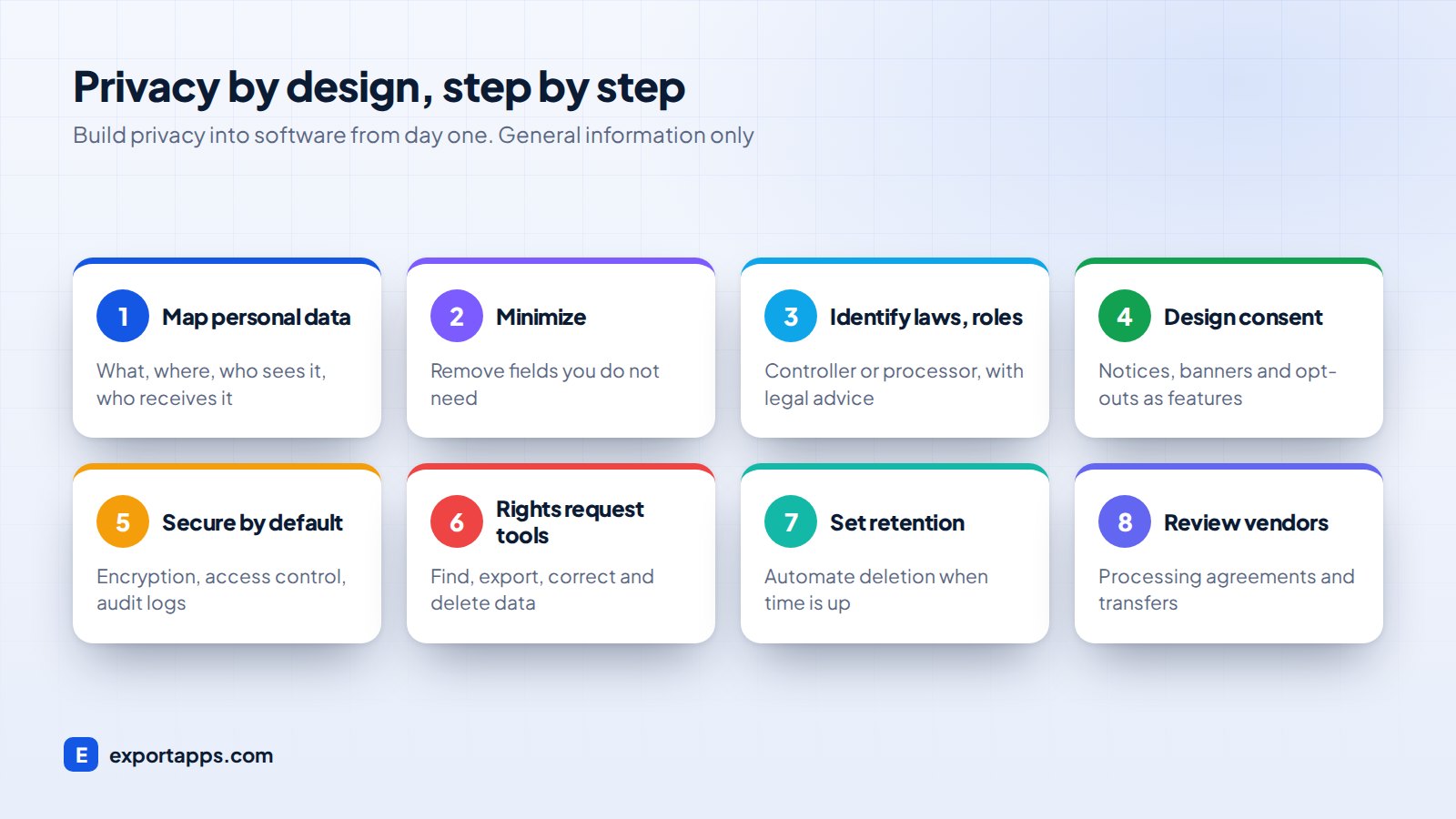
List every piece of personal data the software will collect, where it comes from, where it is stored, who can see it and which third parties receive it. This data map is the foundation for everything else.
2. Decide what you really need
Remove fields you do not need. Every extra field is more risk and more work. A birthday field "just in case" is a liability.
3. Identify the laws and roles that apply
Work out where your users are and which laws may apply. Clarify whether you are the controller (you decide why data is processed) or a processor (you process it for a client). This is where professional legal advice matters most.
4. Design consent and notices into the product
Plan privacy notices, cookie banners, consent checkboxes and opt-outs as real features with real designs, not afterthoughts. Your website design process should include them from the wireframe stage.
5. Build in security by default
Use encryption in transit and at rest, strong authentication, role-based access, audit logs and secure backups. Give each user the minimum access they need.
6. Build tools for user rights requests
Add admin features to find, export, correct and delete a person's data. Handling these requests manually across many systems is slow and error-prone.
7. Set retention rules
Decide how long each type of data is kept, then automate deletion or anonymization when that time is up.
8. Review vendors and data transfers
Check every third-party service: hosting, email, analytics, payments, AI tools. Sign data processing agreements and check how cross-border transfers are handled, especially for EU and UK data.
Common privacy mistakes in software projects
- Collecting data "in case it is useful later"
- Copying real customer data into test environments
- Analytics and tracking scripts loading before consent where consent is required
- No way to delete a user completely, including from backups and third-party tools
- Shared admin accounts with no audit trail
- Sending personal data to AI services without checking the provider's terms
If you are planning AI features, our guide to AI agents for business covers what to consider.
Where privacy fits in your project and budget
Privacy work is cheapest at the start. Adding a data map, consent features and deletion tools during design is a modest part of the budget. Retrofitting them into a live system with years of data is much harder.
When you ask for quotes, include privacy needs in the scope. Our guide on custom software development cost explains how requirements like this affect price. If you are moving off spreadsheets, our guide to moving from paper and Excel to online software is a good chance to clean up old data at the same time.
Building a CRM? Customer data is the heart of it, so read custom CRM development too. If you work with an outsourced team, see outsourcing software development for the contract terms that cover data protection. For new products, our SaaS development guide covers multi-tenant data separation.
Frequently asked questions
Does GDPR apply to a US or Canadian company?
It can. GDPR may apply to organizations outside the EU that offer goods or services to people in the EU or monitor their behavior. A privacy lawyer can confirm whether it applies to you.
Does the CCPA apply to small businesses?
Not to all of them. The CCPA applies to for-profit businesses that meet certain thresholds. Check the current thresholds with a qualified advisor, as they can be updated.
Is privacy-compliant software more expensive to build?
It adds some work, mainly in design, security and admin tools. Building it in from the start is usually much cheaper than fixing a live system later.
Can software make my business fully compliant?
No. Software helps, but compliance also depends on your policies, contracts, staff training and how you actually use data. Again, this article is general information, not legal advice.
Build it right from day one
Export Apps builds custom software with privacy and security designed in from the first workshop. We will map your data with you, work alongside your legal advisors and give you a clear fixed quote. Learn about our custom software development services and cloud and hosting, or book a free consultation.