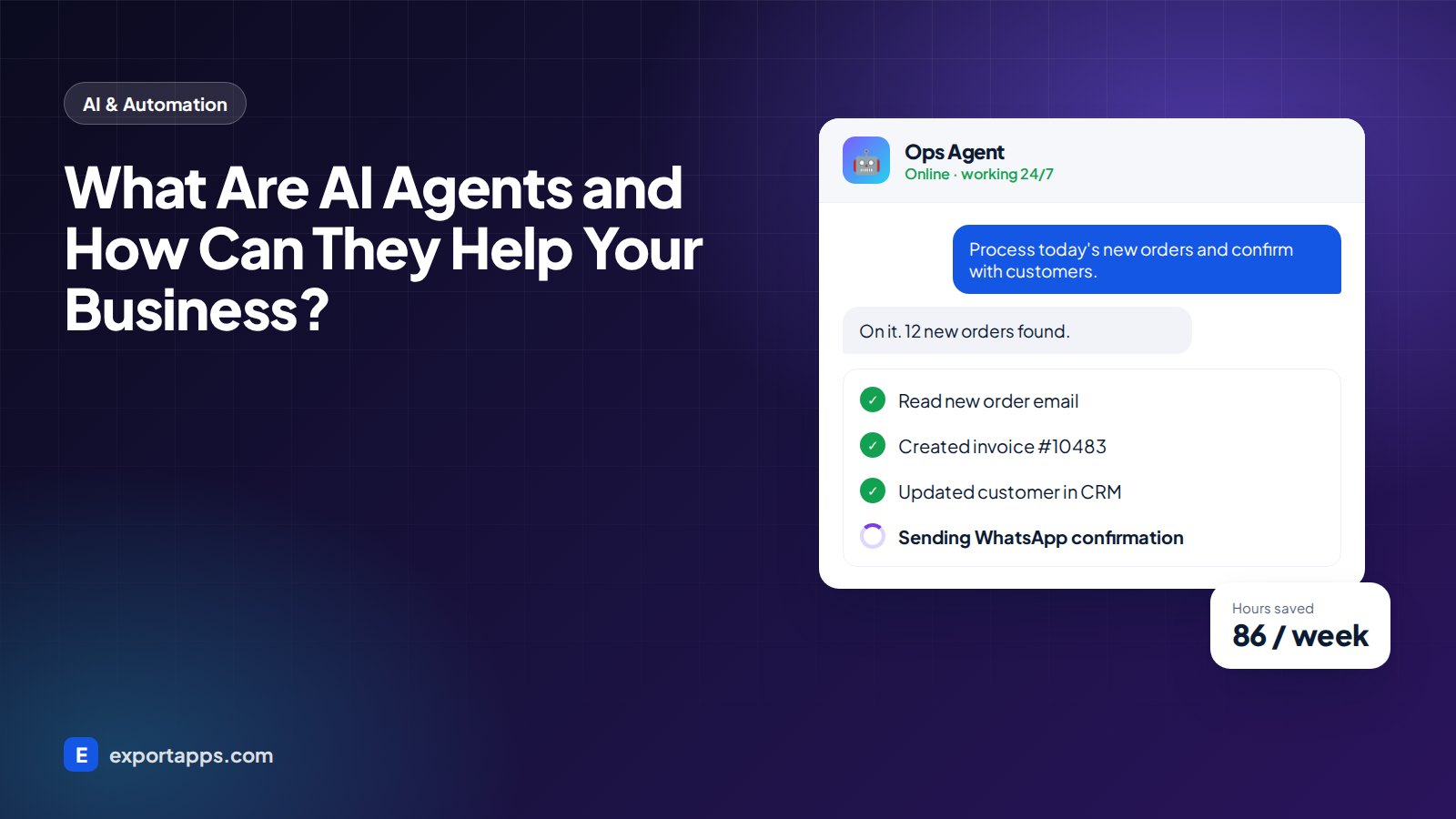
AI agents do more than chat. They take actions: processing orders, answering customers and updating your systems. Here is how businesses are using them.
You have probably used an AI chatbot that answers questions. An AI agent goes one step further: it can take actions. It reads an email, decides what needs to happen, and then creates an invoice, updates your CRM or books an appointment, all on its own.
For small and medium businesses, this means routine work that used to take hours each day can now run in the background, around the clock.
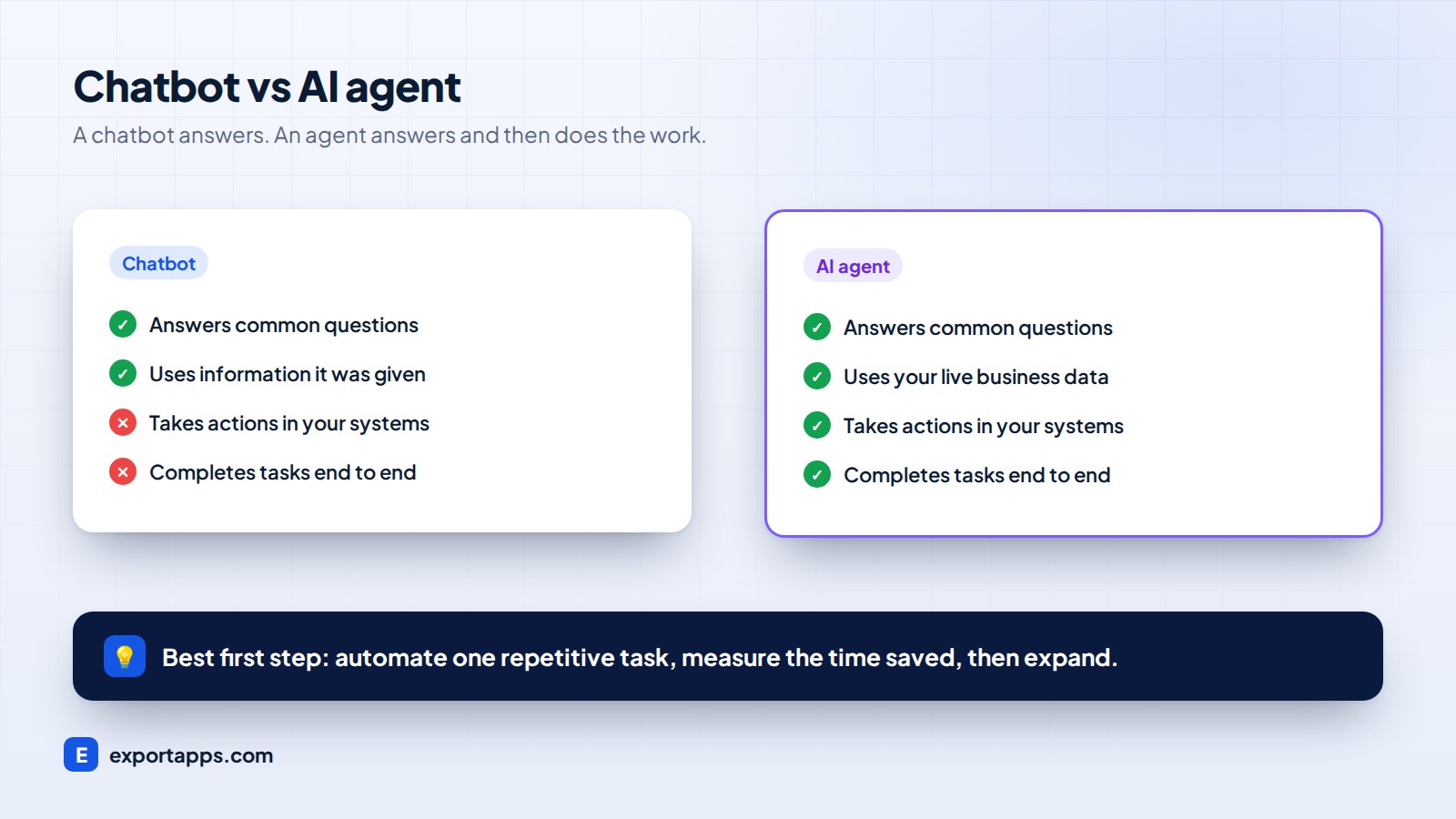
Chatbot vs AI agent
- A chatbot answers questions using information it has been given.
- An AI agent answers questions and uses tools. It connects to your systems (email, calendar, accounting, CRM, database) and completes tasks step by step.
Think of a chatbot as a receptionist who can answer questions, and an AI agent as an assistant who can also do the follow-up work.
Common ways businesses use AI agents
Order processing
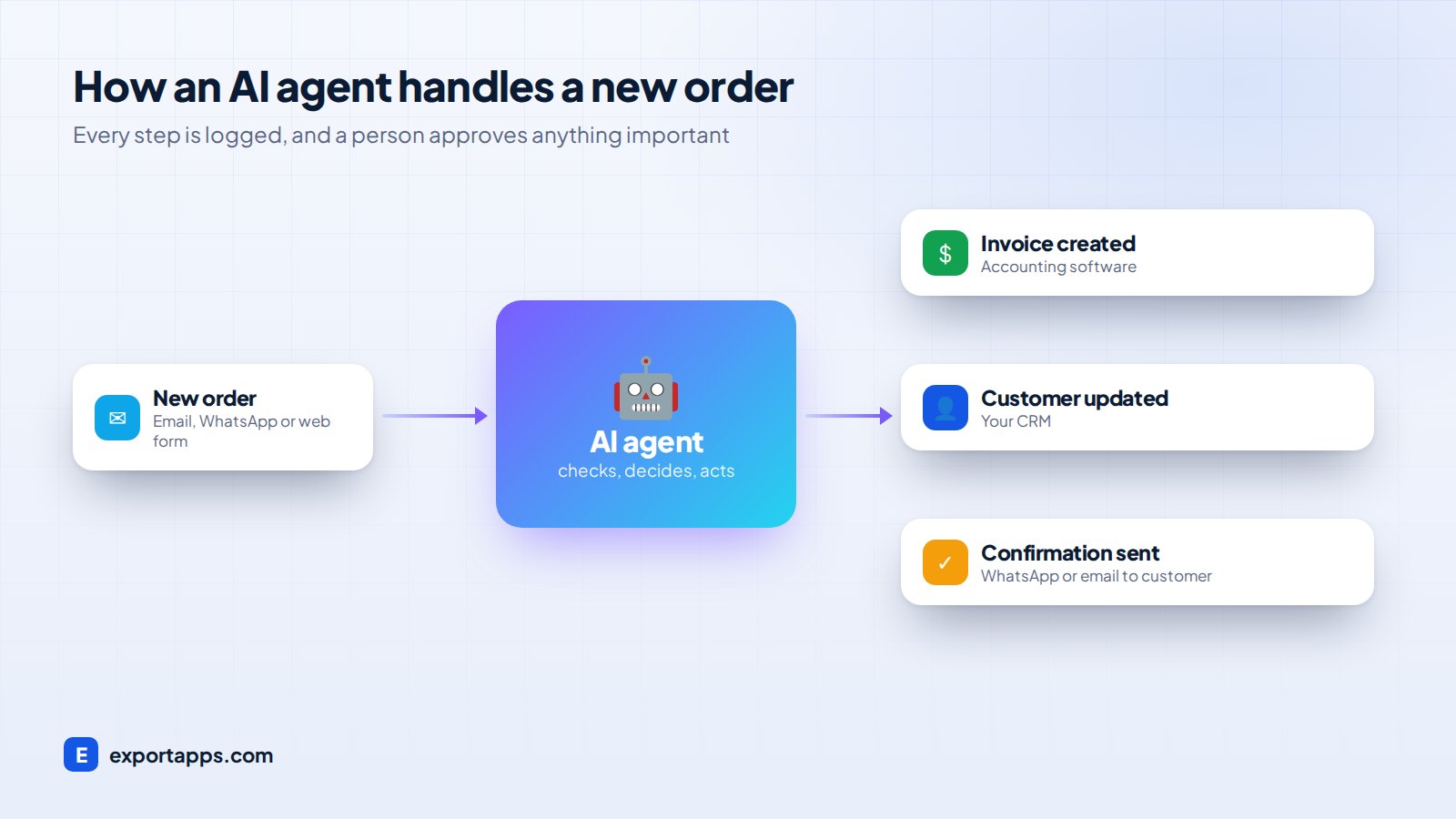
The agent reads new orders from email, WhatsApp or a web form, checks stock, creates the order in your system, sends an invoice and confirms with the customer.
Customer support
The agent answers common questions using your policies and order data, such as "Where is my delivery?" It hands complex cases to a person with a full summary.
Lead follow-up
When a new lead arrives, the agent replies within seconds, asks qualifying questions, books a call in your calendar and logs everything in your CRM.
Back-office work
Agents can reconcile invoices, chase overdue payments with polite reminders, prepare daily reports and move data between systems that do not talk to each other.
Appointment scheduling
Clinics, salons and service businesses use agents to book, reschedule and remind customers, which reduces no-shows.
AI agents work best on top of good systems. If your business still runs on paper or spreadsheets, start with our guide to moving your business online.
The benefits
- Speed: customers get answers in seconds, at any hour.
- Lower costs: staff spend less time on repetitive tasks and more on work that needs a human.
- Fewer errors: the agent follows the same steps every time.
- Scale: handle more orders and inquiries without hiring at the same rate.
The risks, and how to manage them
AI agents are powerful, so they need guardrails:
- Limit what the agent can do. Give it only the permissions it needs.
- Keep a human in the loop for important actions, such as refunds above a set amount.
- Log everything so you can see what the agent did and why.
- Protect customer data with proper security and privacy controls.
- Start small. Automate one workflow, measure the results, then expand.
How to get started
- List the tasks your team repeats every day.
- Pick one that is high-volume and follows clear rules, such as order confirmations or lead replies.
- Map the steps and the systems involved.
- Build and test the agent on real examples before going live.
- Measure the time saved and the error rate, then decide on the next workflow.
Agents can also be part of a larger platform. See custom software vs off-the-shelf to decide how to build it.
Is your business ready for an AI agent?
If your team spends hours copying data between systems, answering the same questions or chasing follow-ups, the answer is probably yes. Book a free AI consultation and we will show you which of your workflows can be automated first and what it would cost.