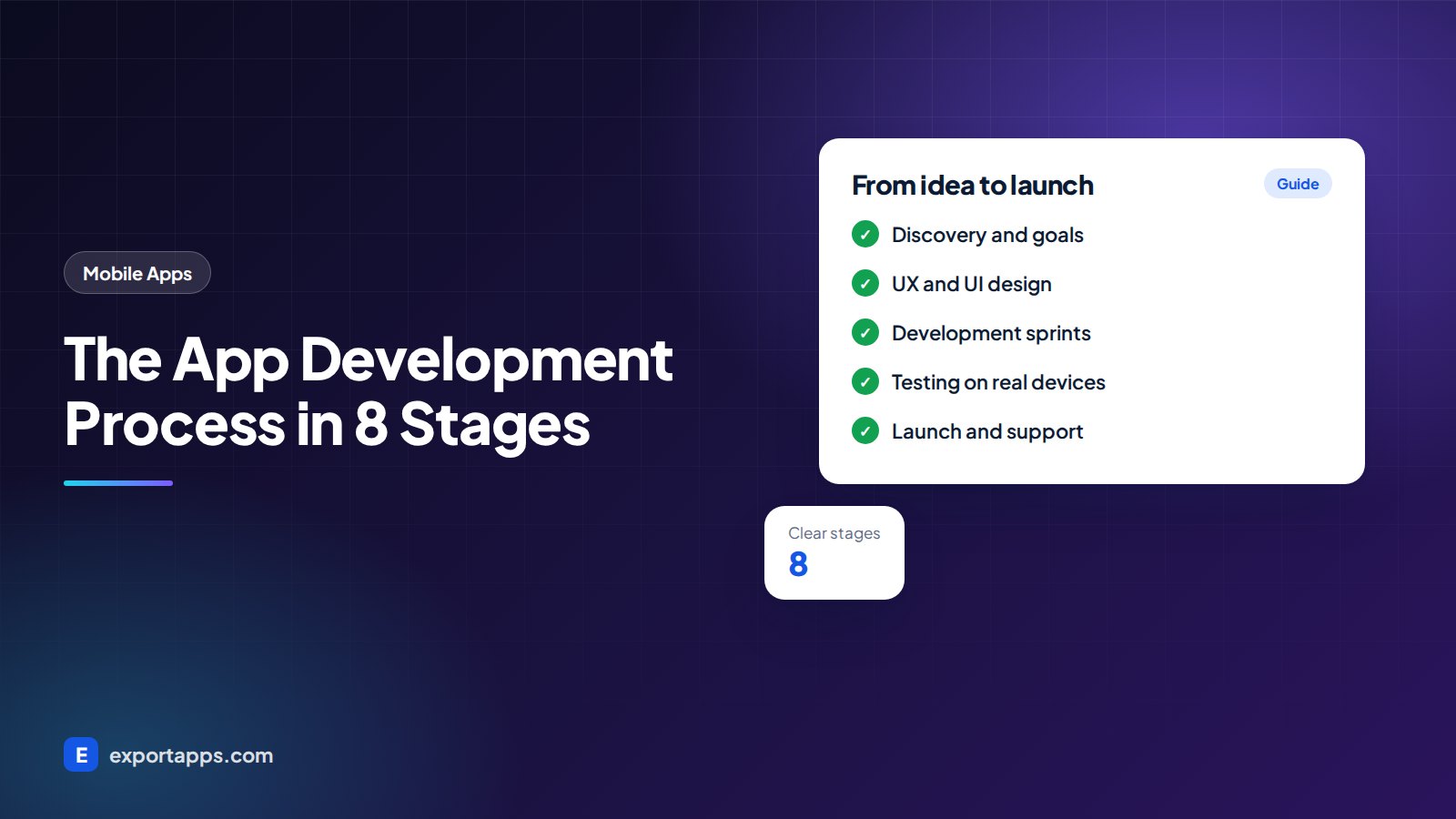
Building an app is easier when you know what happens at each step. Here are the 8 stages of the app development process, with typical timelines.
Many founders start an app project without knowing what happens between "here is my idea" and "the app is live in the store". That gap causes stress, missed deadlines and budgets that keep growing. A clear app development process fixes this. When you know each stage, you know what to expect, what to prepare and what questions to ask.
This guide explains the 8 stages most professional teams follow, what you get at the end of each one, and how long each stage typically takes. Every project is different, but the pattern is the same.
Why a clear process matters
A process is not paperwork. It is how a team turns uncertainty into decisions. Each stage reduces risk before you spend money on the next one. If a team cannot explain its process to you in plain English, that is a warning sign. Our guide on how to choose a software development company lists other questions worth asking.
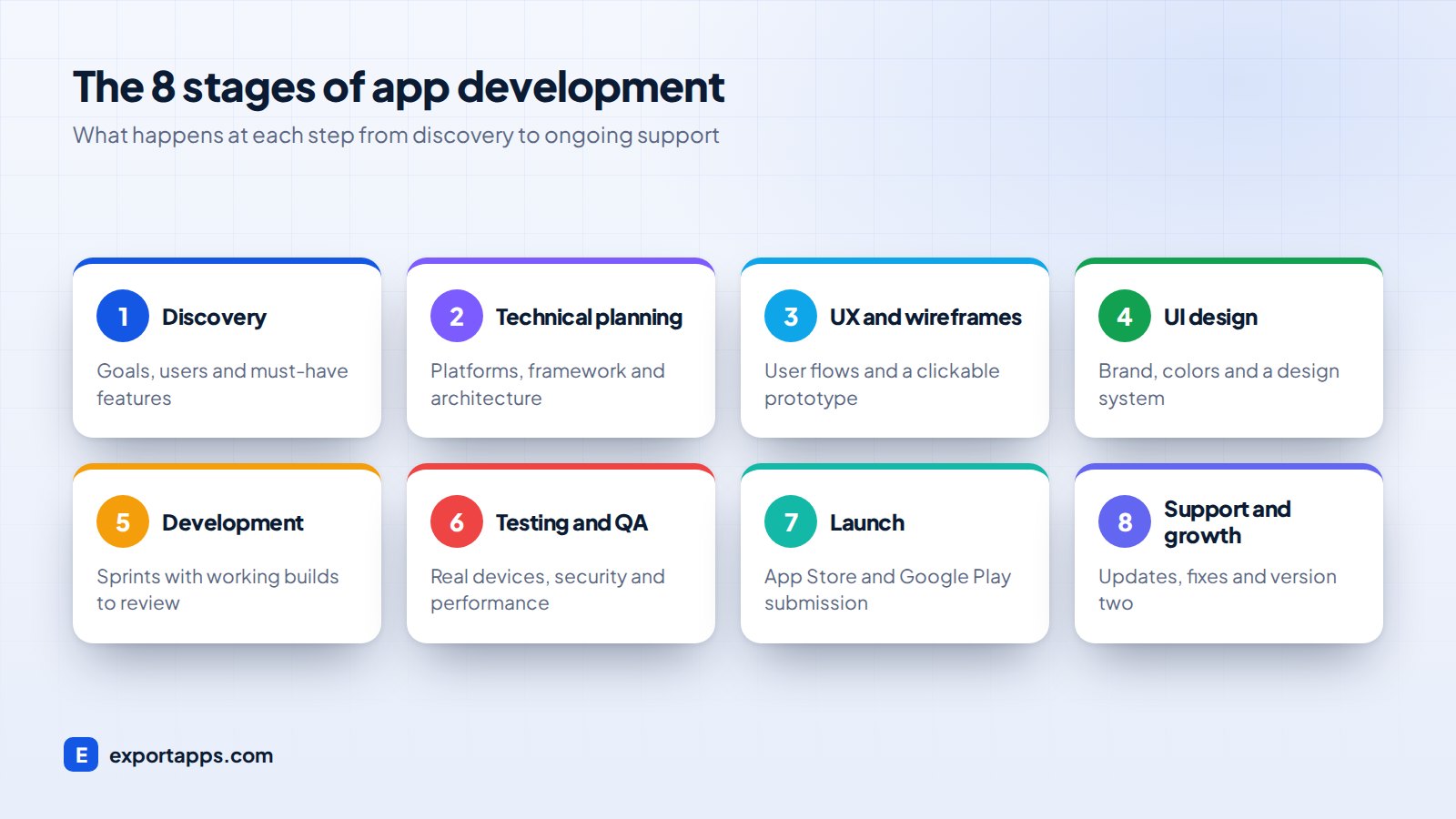
The 8 stages of the app development process
1. Discovery and goals
Discovery is where the team learns your business, your users and your goals. Expect workshops or calls, competitor reviews and a written list of requirements. You should leave this stage with a clear scope, a list of must-have features and a first estimate.
This is also where you decide what not to build yet. A focused first version is cheaper and faster. Our MVP development guide explains how to choose the right features.
You get: a scope document, feature list, rough timeline and budget.
2. Platform and technical planning
Next, the team decides how the app will be built. Key choices include iOS, Android or both, native or cross-platform, which backend to use and which third-party services (payments, maps, messaging) to connect.
If you are unsure where to start, read iOS vs Android first and our Flutter vs React Native comparison.
You get: a technical plan, architecture outline and a fixed or refined quote.
3. UX design and wireframes
User experience (UX) design maps how people move through the app. Designers create wireframes: simple black-and-white layouts of each screen. Then they link them into a clickable prototype you can test on your phone.
This is the cheapest place to make changes. Moving a button in a wireframe takes minutes. Moving it after it is built takes much longer.
You get: user flows, wireframes and a clickable prototype.
4. UI design
User interface (UI) design adds your brand: colors, fonts, icons, images and motion. Good UI follows Apple's and Google's design guidelines so the app feels natural on each platform, and it considers accessibility such as text size and color contrast.
You get: final screen designs and a design system for developers.
5. Development
This is the longest stage. Developers build the app screens (the frontend), the server and database (the backend), and the admin panel your team uses. Most teams work in one or two week sprints and show you working software at the end of each one.
Ask for access to a test build early. You should be tapping through real screens within the first few weeks, not waiting until the end.
You get: working builds every sprint and access to the code repository.
6. Testing and quality assurance
Testing runs alongside development, but there is usually a focused QA stage before launch. Testers check features on real devices, different screen sizes and OS versions. They also check performance, security, and how the app behaves on slow networks.
If your app handles personal data, this is also when you confirm privacy settings meet GDPR, UK GDPR, PIPEDA or CCPA requirements. Our privacy-compliant software guide covers the basics.
You get: a tested release candidate and a list of resolved issues.
7. Launch and app store submission
The team prepares store listings, screenshots, privacy details and review notes, then submits to the Apple App Store and Google Play. Apple's review can take longer than Google's, so build in a buffer. Many teams do a soft launch to a small group first.
You get: a live app in one or both stores.
8. Support, maintenance and growth
Launch is the start, not the end. New OS versions, security updates and user feedback mean your app needs ongoing care. Most businesses set aside a yearly maintenance budget and plan new features based on real usage data.
You get: bug fixes, updates, monitoring and a roadmap for version two.
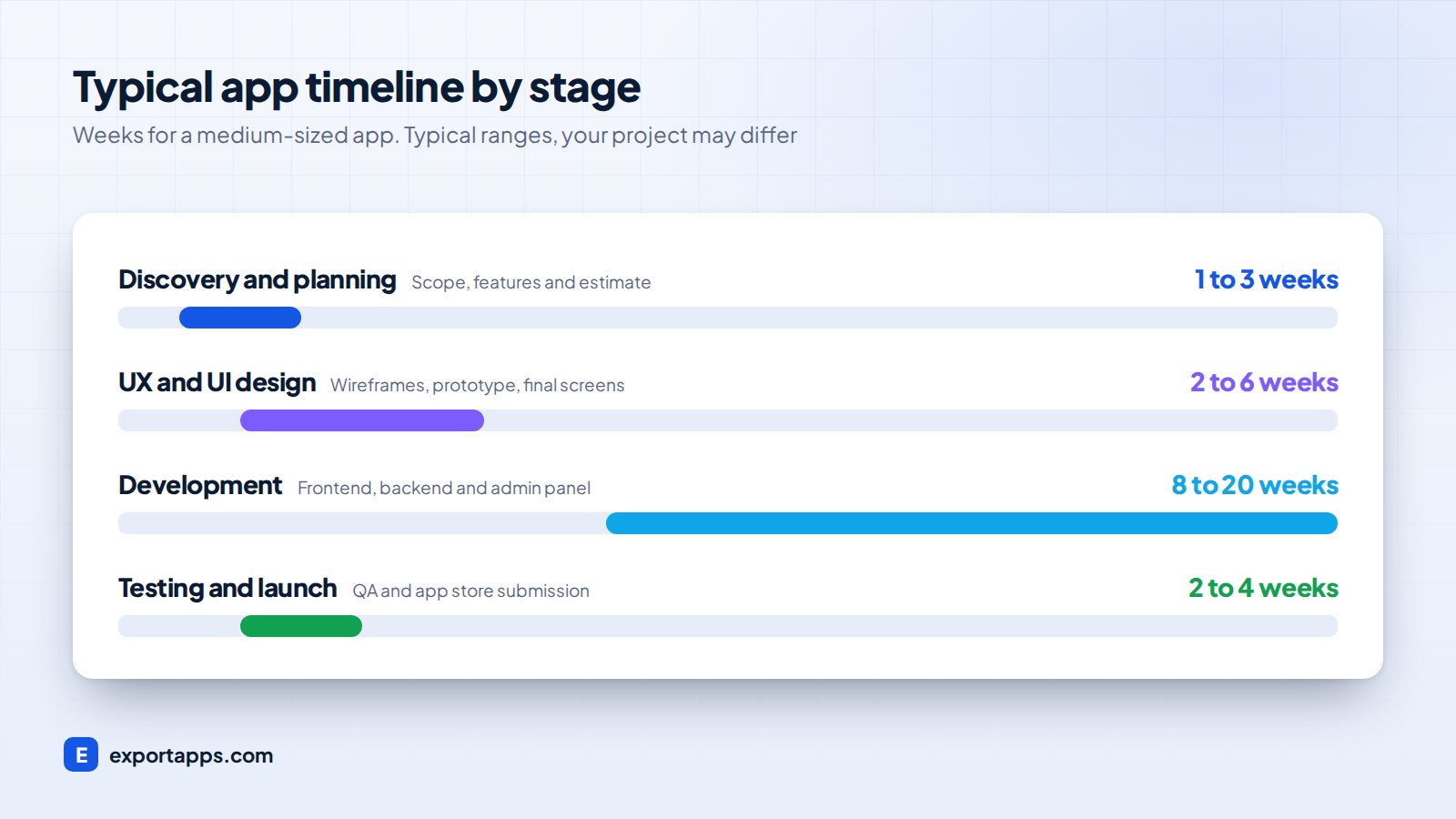
How long does the app development process take?
Timelines depend on complexity, but these are typical ranges for a medium-sized app built by a professional team. Your project may differ.
- Discovery and planning: about 1 to 3 weeks
- UX and UI design: about 2 to 6 weeks
- Development: about 8 to 20 weeks
- Testing and launch: about 2 to 4 weeks
Design and development often overlap, so a medium app commonly takes around three to six months from start to launch. A simple MVP can be faster. For a closer look at budgets, see how much it costs to build a mobile app.
What you need to provide
Great apps are a partnership. To keep the process moving, plan to give:
- Quick decisions. Slow answers are a common cause of delays.
- Access to your users. Even five short interviews improve design choices.
- Content and brand assets. Logos, copy, images and legal pages.
- Accounts. Apple and Google developer accounts in your company's name.
- A single decision maker. One person who can approve designs and changes.
How to keep your project on track
A good process only works if both sides use it. These habits keep most app projects on time and on budget:
- Hold a short weekly call. Fifteen to thirty minutes to review progress, answer questions and agree on next steps.
- Review every sprint demo. Tap through the test build yourself and give feedback within a day or two.
- Keep one shared backlog. Every feature request, bug and idea goes into one list, ranked by priority.
- Agree on "done". A feature is done when it is designed, built, tested and approved, not just coded.
- Protect the launch scope. Park new ideas for version two unless they are truly critical.
If you are building a web product instead of a mobile app, the same habits apply. Our 7-step website design process shows a similar pattern for websites.
Common mistakes to avoid
- Skipping discovery to "save time", then rebuilding features later
- Adding new features in the middle of development without adjusting time or budget
- Testing only on the founder's phone
- Forgetting a maintenance budget after launch
- Not owning your code, accounts and designs. Ask about ownership before you sign, as covered in our guide on how to hire app developers.
Frequently asked questions
What are the stages of app development?
Most teams follow 8 stages: discovery, technical planning, UX design, UI design, development, testing, launch and ongoing support. Some teams merge or rename stages, but the work is similar.
How long does it take to develop an app?
A simple app can take around two to three months. A medium app often takes three to six months. Complex apps can take longer. These are typical ranges, and your project may differ.
Can I change features during development?
Yes. A good team has a simple change process: you describe the change, they estimate its impact on time and cost, and you approve it before work starts.
Do I need a maintenance plan after launch?
Yes. Operating system updates, security patches and user feedback mean apps need regular updates. Plan a yearly budget for maintenance from day one.
Start your app the right way
If you want a team that explains every stage and shows you progress every sprint, explore our mobile app development services or our product design services. Then book a free consultation and we will give you a clear, fixed quote for your project.